【PR】How to Create an AI Presentation in 3 Minutes — Complete MiriCanvas Guide (2026)
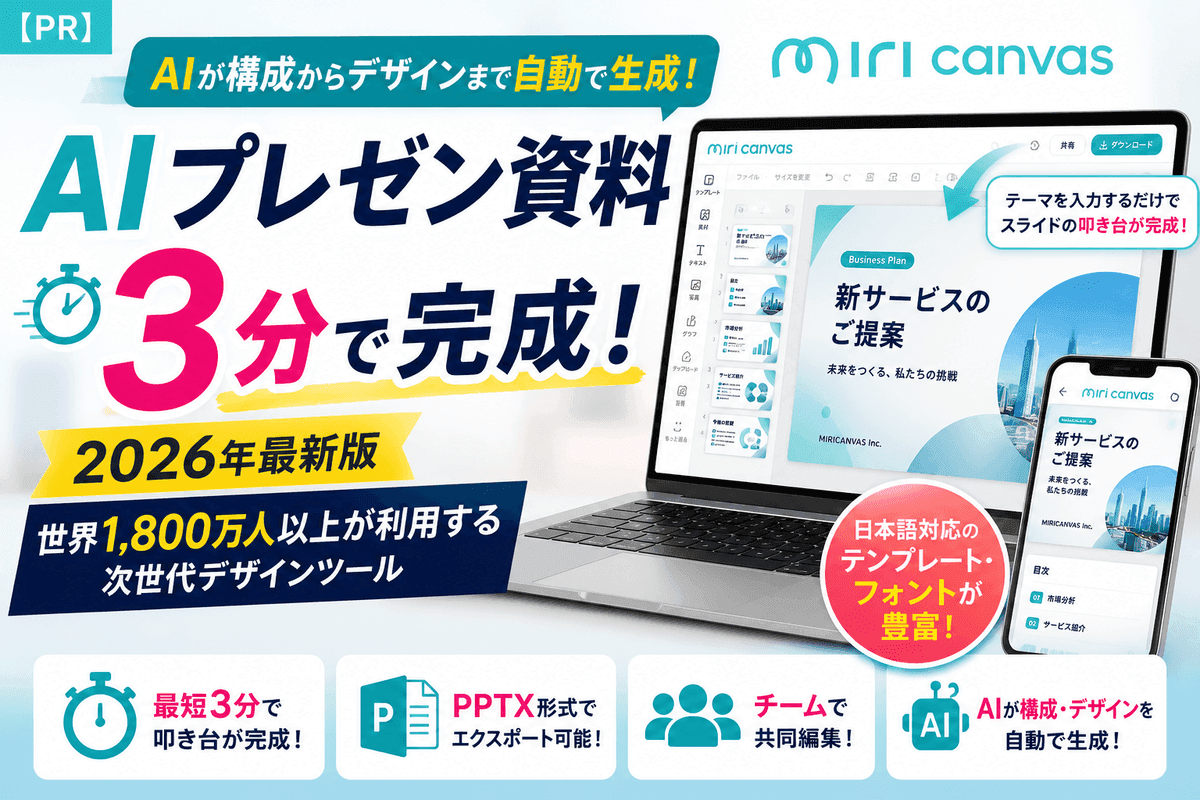
Introducing MiriCanvas's AI presentation generation feature, used by over 18 million people worldwide. Create a draft in as little as 3 minutes, export to PPTX, and collaborate with your team. Includes free sign-up and email verification steps.
【PR】This article contains affiliate links. (Article created: July 22, 2026)
The problem: presentations take too long to make
Whether it's a proposal deck for work, a seminar presentation for university, or a pitch deck for a freelance client, presentations come up constantly — and many people run into the same frustration: no time to design from scratch, and no confidence using PowerPoint.
Planning the structure, laying out each slide, matching colors and fonts — this alone can eat up hours. MiriCanvas, an AI design tool, is built to solve exactly this problem: cutting down the time it takes to create a presentation.
What is MiriCanvas?
MiriCanvas is a browser-based design tool used by more than 18 million people worldwide. There's nothing to install — you can start designing the moment you open your browser.
Its standout feature is AI presentation generation powered by miricle AI. Just enter the theme or keywords for the presentation you want to create, and the AI automatically builds out the structure and design, producing a first draft in as little as 3 minutes. Instead of starting from a blank page, you simply refine the AI-generated draft, which saves a significant amount of time.
Note that, at this time, the AI presentation generation feature is available on PC only. Keep this in mind if you were planning to use it from a smartphone or tablet.
Key features
MiriCanvas comes packed with features designed to speed up presentation creation:
- Automatic structure and design generation by AI: just enter a theme, and the AI proposes the outline, slide structure, colors, and layout
- Extensive Japanese templates and Japanese fonts: avoids the common issue with overseas tools where Japanese text breaks or templates don't fit Japanese business conventions
- PPTX export support: finished presentations can be exported in PowerPoint format (PPTX), making it easy to integrate with existing PowerPoint-based workflows for sharing or printing
- Team collaboration and shared drives: multiple people can edit the same presentation simultaneously, and teams can manage files in a dedicated shared drive
Who it's for
MiriCanvas is used by a wide range of people:
- Office workers: who want to quickly put together proposals, reports, or internal presentations
- Students: who don't want to spend hours on seminar presentations, thesis progress reports, or club materials
- Freelancers: who want polished-looking proposal or portfolio decks without needing design skills
If you want your presentations to communicate well but design isn't your strong suit, MiriCanvas is a reliable tool to have on hand.
Free sign-up and two-step email verification (required)
MiriCanvas can be signed up for and used free of charge. Here's the sign-up flow:
- Visit the official website and click the sign-up button
- Enter your email address and password (or sign up with a Google account, etc.)
- Enter basic information such as your name and intended use
- An email verification screen appears, and MiriCanvas sends a verification email to the address you registered
- Open the email and click "Verify Email"
- A "Verification successful!" screen appears — click "Confirm" to complete registration
Note: If you use a Hotmail (Outlook.com) address, there have been reports of the verification email not arriving. We recommend using a different email address, such as Gmail or Yahoo Mail. If the email doesn't arrive, please also check your spam/junk folder.
How to use it by scenario
Sales and proposal materials (for office workers)
Just enter your product name or proposal theme, and the AI automatically generates a structured outline and design that covers the key points. Add your own performance data or case studies to the draft, and your proposal is ready in no time.
Academic presentations and seminar materials (for students)
Enter your research topic or keywords, and the AI builds a slide structure that follows the flow of your presentation. Swap in your own charts and data, and you have a clear, presentation-ready deck.
Recruitment briefings and company introduction materials
Enter your company overview and recruiting message to quickly create a consistently designed company introduction deck. With its wide range of templates, it's also useful for recruitment branding.
Freelance proposals and portfolios
Build client-facing proposals or portfolios based on your self-introduction and track record. Even without design skills, you can put together polished materials quickly.
Frequently Asked Questions (FAQ)
Q: Is it free to use?
A: Yes, there's a free plan. You can choose from three plans: Free, Pro, and Enterprise. The free plan can be used by individuals as well as companies, schools, and local governments. Check the official pricing page for detailed feature differences.
Q: Can I use it on a smartphone or tablet?
A: The AI presentation generation feature is only available on PC. Other design editing features can be used from mobile devices.
Q: Can I save it as a PowerPoint file?
A: Yes, PPTX export is supported. However, the free plan limits PPTX downloads to 3 per day. If you want unlimited downloads, consider the Pro plan.
Q: Can my team collaborate on the same file?
A: Yes, real-time collaborative editing is available through the shared drive feature.
Summary
If you want to cut down the time spent creating presentations — or you want polished-looking slides even without design confidence — MiriCanvas, with its AI presentation generation feature, is worth trying. With drafts ready in as little as 3 minutes, strong Japanese-language support, and PowerPoint compatibility, it's useful for office workers, students, and freelancers alike.
Start with the free sign-up and see how easy it is to use.
*This article contains affiliate links.*
Ready to simulate your relocation plan?
Try MoveWorth's free simulator to see your post-relocation asset trajectory.
Try Free Simulation